The Challenge: Sub-Metering & Tenant Billing
Accurate energy sub-metering is essential for multi-tenant buildings, commercial complexes, and industrial facilities. However, installing wired meters on every floor or tenant space requires extensive cabling, making it expensive and disruptive.
💰 Business Challenges
- Billing disputes due to estimated allocation
- No incentive for tenants to conserve energy
- Hidden energy waste not attributed to any user
- Difficulty tracking ROI from efficiency projects
🔌 Technical Challenges
- Cable runs from every meter to central location
- Disruption to occupied spaces during installation
- Expensive conduit and labor costs
- Inflexible once installed
The Solution: Wireless Sub-Metering
Link485 connects Modbus energy meters wirelessly using WiFi, LoRa, or 4G - enabling cost-effective sub-metering without cable installation. Perfect for retrofit projects and new installations alike.
What You Can Monitor
Electrical Parameters
- Voltage (L1, L2, L3)
- Current (per phase)
- Active Power (kW)
- Reactive Power (kVAR)
- Apparent Power (kVA)
- Power Factor
- Frequency
Energy & Billing
- kWh consumption (total, per phase)
- Peak demand (kW)
- Time-of-Use (TOU) metering
- Daily, monthly consumption
- Cost calculation per kWh
- Trend analysis
Power Quality
- Total Harmonic Distortion (THD)
- Voltage sag/swell events
- Power interruptions
- Unbalance (voltage, current)
- Neutral current
- Event logging
Popular Modbus Energy Meters
Schneider EM6400
Type: 3-phase multifunction
Accuracy: Class 0.5S
Communication: RS-485 Modbus RTU
Holding Register 3000: V L1-N (V)
Holding Register 3002: V L2-N (V)
Holding Register 3004: V L3-N (V)
Holding Register 3008: Current L1 (A)
Holding Register 3054: Total kWh
Holding Register 3060: kW Total
Selec MFM384
Type: Multi-function meter
Accuracy: Class 1.0
Communication: RS-485 Modbus
Holding Register 1001: Voltage R-N
Holding Register 1002: Voltage Y-N
Holding Register 1003: Voltage B-N
Holding Register 1013: Current R
Holding Register 1025: kW Total
Holding Register 1101: kWh Import
Elmeasure PMC-340
Type: Power monitoring
Accuracy: Class 0.5
Communication: RS-485 Modbus
Holding Register 1: V RY
Holding Register 13: Current R
Holding Register 25: kW
Holding Register 31: kVA
Holding Register 71: Total kWh
Wiring Diagram: Floor-Level Sub-Metering
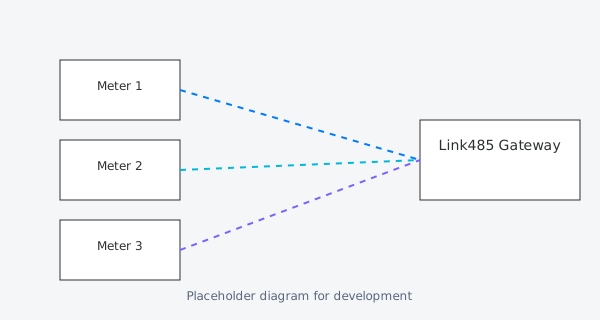
Install one energy meter per floor or tenant. Connect all meters on the same floor to a single Link485 gateway using RS-485 daisy-chain. Gateway transmits all meter data wirelessly to cloud/BMS.
Use Cases
Multi-Tenant Billing
Sub-meter each tenant space in commercial buildings. Provide web/mobile portal for tenants to view their consumption. Eliminate billing disputes with accurate, real-time data.
Floor-by-Floor Monitoring
Track consumption by floor to identify waste. Benchmark similar floors against each other. Detect equipment left running after hours.
Equipment-Level Monitoring
Sub-meter major equipment (chillers, compressors, ovens) to track individual energy consumption. Identify inefficient machines for replacement.
Demand Management
Monitor peak demand in real-time. Get alerts when approaching demand limit. Shed non-critical loads to avoid expensive demand charges.
Case Study: 15-Floor Office Building
Commercial Office Park - Floor-Level Sub-Metering
A 15-floor commercial building in Mumbai implemented wireless sub-metering for all 15 floors plus parking/common areas using Link485 Air. Previously, tenants were billed based on sq ft allocation, leading to disputes and no incentive to conserve.
"Link485 Air was installed over a weekend using existing WiFi. Tenants immediately started tracking their usage and conserved energy. We saw 22% reduction in first year just from awareness." — Facility Manager, Commercial Office Park
Configuration Steps
Install Energy Meters
Install Modbus energy meters at each measurement point (floor panel, tenant DB, equipment).
Wire RS-485 Network
Connect all meters on the same floor using RS-485 daisy-chain. Use twisted pair cable, 120Ω termination.
Install Link485 Gateway
Mount Link485 Air/Zero on each floor. Connect to the RS-485 network. Power via PoE or 12-24V DC.
Configure Cloud Dashboard
Use Link485 Cloud to configure meter addresses, tariff rates, and assign meters to tenants/floors.
Setup Tenant Portal
Create web/mobile portal for tenants to view their consumption, compare with similar tenants, and download invoices.
Configure Alerts
Setup alerts for: abnormal consumption, demand approaching limit, power quality issues, meter communication failure.